Electric Height-Adjustable Standing Desk Setup & Buying Tips
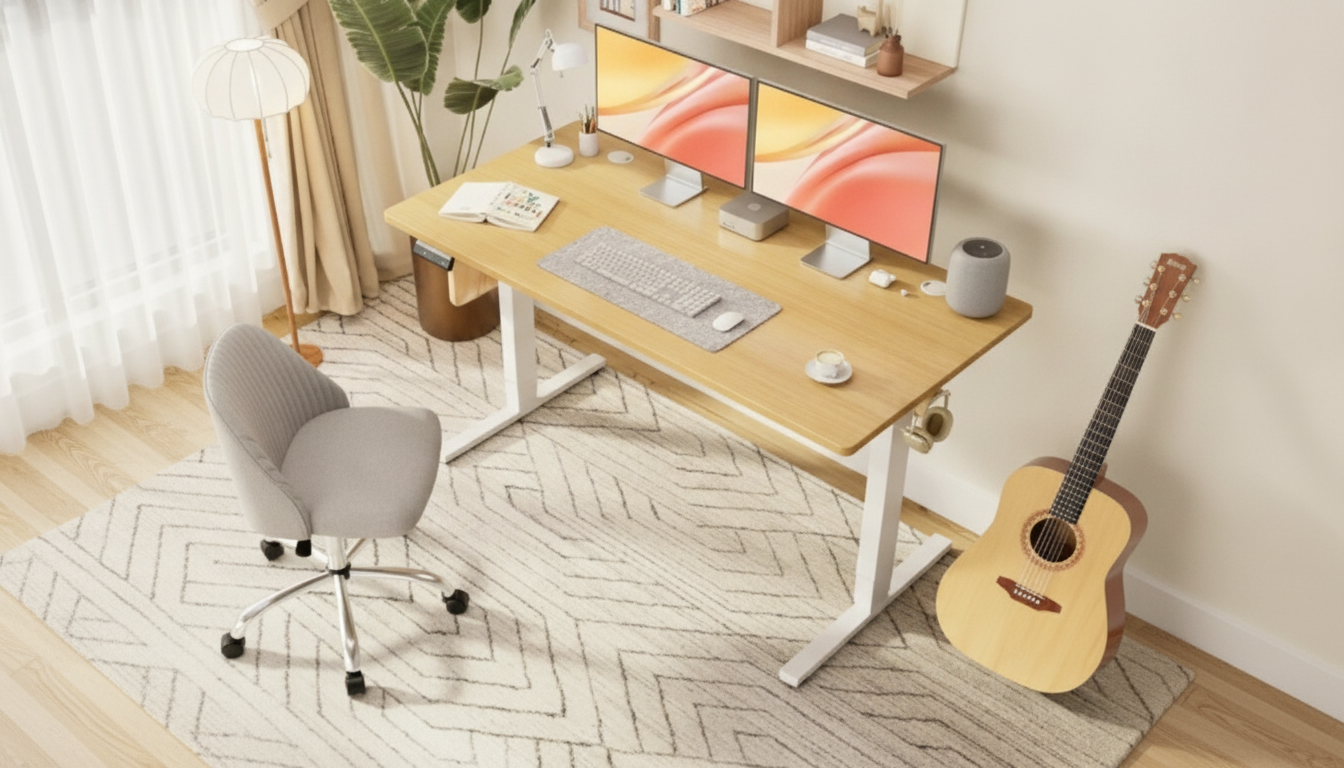
Electric Height-Adjustable Standing Desk: Setup, Ergonomics, and Buying Guide
An electric height-adjustable standing desk makes it easy to switch between sitting and standing throughout the day. The right choice comes down to fit (your height and workspace), stability at standing height, usable surface area, and controller features that make adjustments quick and repeatable.
What an Electric Height-Adjustable Standing Desk Does Best
Electric standing desks use a motorized lift to move the work surface smoothly between seated and standing positions. That simple change unlocks a more flexible workday: instead of forcing your body to conform to a fixed desktop height, you can tune the desk to your keyboard, mouse, and monitor placement.
They’re also a strong fit for shared workspaces. With memory presets, each user can store their preferred heights and switch instantly—helpful for households and hot-desking offices. And because cables and accessories move with the desktop, these desks pair well with practical add-ons like monitor arms (for better screen positioning), under-desk cable trays (to prevent snags), and anti-fatigue mats (for standing comfort).
How to Choose the Right Desk (Measurements First)
Before comparing finishes or extra features, confirm the desk fits your body and your room. A desk that’s too tall at its minimum won’t feel right for seated work, and a desk that wobbles at full extension can be distracting when typing or using a monitor arm.
Start with height range
Check that the minimum height supports comfortable seated typing and that the maximum height reaches a relaxed standing elbow angle. A reliable target is elbows around 90 degrees with forearms roughly parallel to the floor, shoulders down and relaxed, and wrists neutral.
Confirm top size and usable layout
Measure the footprint needed for monitors, a laptop (if used), documents, and peripherals. Leave generous space for mouse movement and a writing area so you’re not constantly shifting items around. If you plan to clamp on monitor arms, ensure the back edge has enough depth for the clamp plus cable clearance.
Check leg clearance and under-desk obstructions
Look at knee and thigh clearance while seated, especially if you use an under-desk drawer or a deep chair. If the frame includes a crossbar, confirm it won’t interfere with your legs, footrest, or seated posture.
Evaluate capacity, stability, and “real-world” loads
Add up the weight of monitors, monitor arms, a desktop PC (if it sits on top), and accessories. Choose a rated capacity with a comfortable margin. Stability matters just as much: taller users and long monitor arms increase leverage, which can amplify wobble at standing height. Wider feet, rigid columns, and well-made joints generally reduce sway.
Prioritize controller usability
A responsive controller makes height changes feel effortless rather than fussy. Useful features include memory presets, a child lock (or lock mode), and a height readout so you can return to a precise setup every time.
Plan for power, speed, noise, and cable travel
Electric desks need a nearby outlet and a cable plan that allows full up/down travel without tugging. Quieter motors and moderate lift speed tend to feel better day-to-day—especially in shared rooms or during calls.
| Decision factor | What to measure or confirm | Good sign |
|---|---|---|
| Seated typing height | Chair height + elbow position | Wrists neutral; shoulders relaxed |
| Standing typing height | Elbow height while standing | Forearms level; no reaching up |
| Desktop size | Monitor width + mouse area | No crowding; comfortable mousing |
| Stability needs | Monitor arm length + max height | Minimal sway at full extension |
| Weight capacity | Total equipment weight | Capacity comfortably above total |
| Cable travel | Cord lengths + routing path | Cords don’t tug at any height |
Ergonomic Setup for Sitting and Standing
Once the desk fits, small setup choices make the biggest difference in comfort.
Keyboard and mouse placement
Keep the keyboard and mouse close enough that your elbows stay near your torso. Aim for straight wrists and avoid reaching forward with your shoulders. If you notice wrist extension, lower the desk slightly or bring the input devices closer to the edge.
Monitor height and distance
Position the top of the screen near eye level and adjust based on your lenses and screen size. Keep the monitor roughly an arm’s length away so you’re not leaning forward or squinting. If you use a laptop, consider a stand plus an external keyboard and mouse to avoid looking down for long stretches.
Standing comfort and movement
On hard floors, an anti-fatigue mat can make standing feel far less tiring. Avoid standing perfectly still for long periods—shift your weight, change stance, and take brief movement breaks. For general workstation guidance, see resources from OSHA’s Computer Workstations eTool and Mayo Clinic’s office ergonomics guide.
Frame, Motor, and Controller Features to Look For
Motor configuration
Columns, feet, and anti-collision
Preset memory and soft start/stop
Build quality tells
Assembly, Placement, and Cable Management
Care, Safety, and Long-Term Reliability
FAQ
How high should a standing desk be for typing?
Set the desktop so your elbows are around 90 degrees with shoulders relaxed and wrists straight. Fine-tune until your forearms are roughly parallel to the floor and you’re not reaching up or hunching down.
Do electric standing desks use a lot of electricity?
Most electricity is used only while the desk is moving; standby power draw is typically low. If you want to minimize idle use, switch off the power strip when the desk isn’t in use.
What helps reduce wobble at standing height?
Choose a rigid frame with stable columns and longer feet, then tighten all hardware thoroughly. Keep heavier items centered, use a sturdy monitor arm setup, and manage cable slack so cords don’t pull on the desk at full extension.














Leave a comment
You must be logged in to post a comment.